

Node Video is a powerful mobile editing tool that brings professional-grade visual effects and AI-driven features to your fingertips. Create unique video content, master sound design, and explore artificial intelligence tools that elevate your editing workflow to a new standard.
The New Era of Mobile Creativity: Can Node Video Replace Your Desktop Editor?
The barrier to entry for content creation has effectively collapsed. Gone are the days when you needed a powerful workstation and a license for expensive software just to produce a slick video. Today, the battle for your attention is happening on smartphones, and the apps are getting scary good. Node Video is one such contender entering the ring with a bold promise: it does not just want to help you edit clips; it wants to bring the power of artificial intelligence and high-end visual effects to your pocket.
While the market is crowded with filters and basic trimmers, Node Video attempts to position itself as a serious tool for creators who care about polish. It is not just about stitching clips together; it is about utilizing modern tech to manipulate video in ways that were previously impossible on a mobile device.
AI That Actually Does the Heavy Lifting
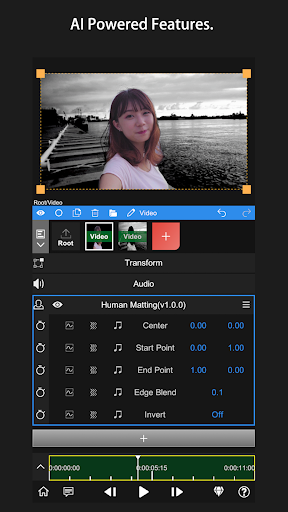
We hear a lot about AI in apps, often as a buzzword for simple auto-filters. However, Node Video implements one of the most technically demanding features in video editing: real-time object segmentation and background separation.
Traditionally, separating a moving subject from a background—a process known as rotoscoping—takes hours of painstaking frame-by-frame work on a desktop. Node Video claims to automate this. You lock onto a target, and the AI analyzes the motion, separating the subject from the environment in real-time.
For creators, this is a game-changer. It opens up possibilities for changing backgrounds on the fly, creating "floaty" text effects that interact with the subject, or isolating specific visual elements. It suggests an engine under the hood that is doing some serious computational work, pushing the boundaries of what mobile processors can handle.
Visuals Beyond the Basic Filter
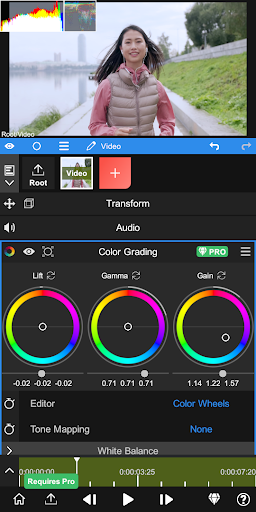
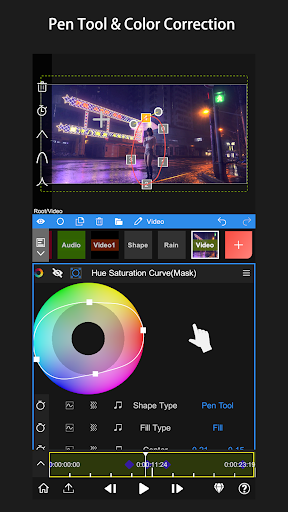
Most standard editing apps give you a slider for brightness and maybe a few preset filters. Node Video leans into the concept of color grading. It offers the ability to manipulate parameters like contrast and saturation with a level of granularity that suggests it is targeting users who understand color theory.
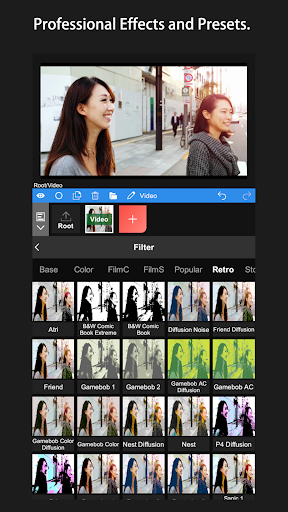
The difference between a filter and color grading is control. A filter slaps a look on top of your image. Grading allows you to sculpt the mood. Whether you are going for a cold, cinematic blue or a warm, vintage golden hour, the app gives you the reins. The inclusion of premium effect packs—motion blur, complex zooms, and rotation transitions—moves it away from the "home movie" vibe toward something that looks like a professional production.
The Often Overlooked Art of Sound
If you watch a TikTok or Reel on mute, you lose half the impact. Yet, many mobile editors treat audio as an afterthought. Node Video seems to understand that sound design is crucial.
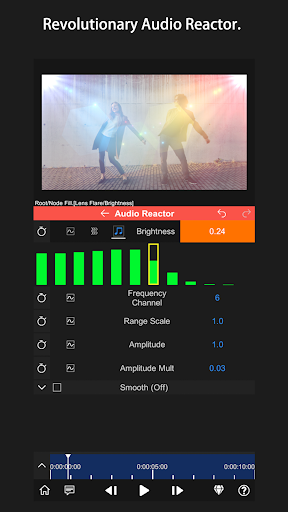
The app includes a library of sound effects that goes beyond the standard "pop" and "whoosh." We are talking about resonance, phase shifts, and echo. These are the tools that give a video a sense of space and depth. If you are editing an action sequence, the right echo on a footstep or the right resonance on an impact adds a texture that high-quality viewers will notice, even if subconsciously.
The integration of a music store with recognizable tracks is also a smart move. It solves the copyright headache for many creators, allowing them to back their visuals with trending audio without hunting for files outside the app.
Usability vs. Capability
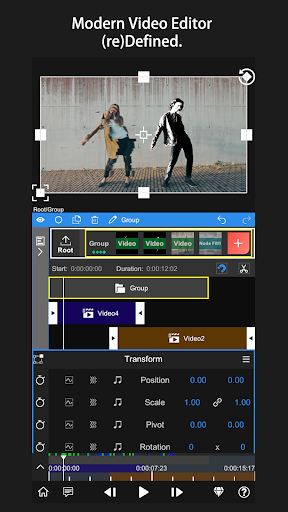
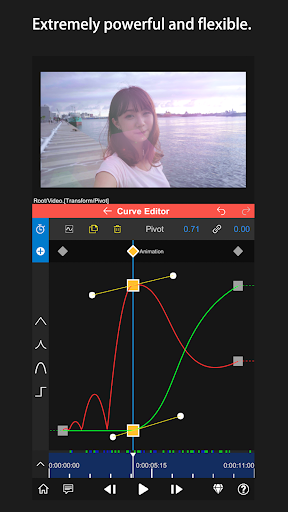
The danger with packing an app full of pro features is that the interface becomes a nightmare. Node Video addresses this with a timeline-based, drag-and-drop interface. It mimics the logic of desktop software like Premiere or Final Cut but simplifies it for a touchscreen.
You can cut, merge, and rearrange clips naturally without losing the flow of your edit. This is critical. Creativity is a fragile thing; if the software fights you, the idea dies. By keeping the core mechanics of cutting and merging intuitive, Node Video allows you to focus on the creative application of its fancy effects rather than struggling with the timeline.
Download Node Video MOD APK for Android
Node Video represents the maturation of mobile editing. It is not trying to be a perfect replacement for a 4K Hollywood workflow, but for the 99% of creators making content for social media, it is hitting the right notes. By combining the convenience of a mobile app with ambitious features like AI tracking and deep audio tools, it challenges the idea that you "need" a computer to make good content. If you are ready to elevate your video production without the desktop bulk, this is the tool to get.

Leave a Comment